Every password. Sealed on your devices.
Logins, passkeys, cards, IDs and 2FA codes in one calm vault. Encrypted on your device before anything syncs. No ads, no tracking, and no account with us.
Argon2id makes every guess at your master password cost real memory, so guessing at scale is slow and expensive.
No sign-up, no email, no server holding your vault. Sync goes through your own private iCloud, when your devices use it.
Copied passwords clear themselves and never reach your other devices or clipboard history.
Split your recovery key between people you trust. Any three bring you back. Two alone learn nothing.
Not just passwords.
Each kind of item gets a card designed around it. The number you need is on the front, and the rest is one tap away.
Opens with
a glance.
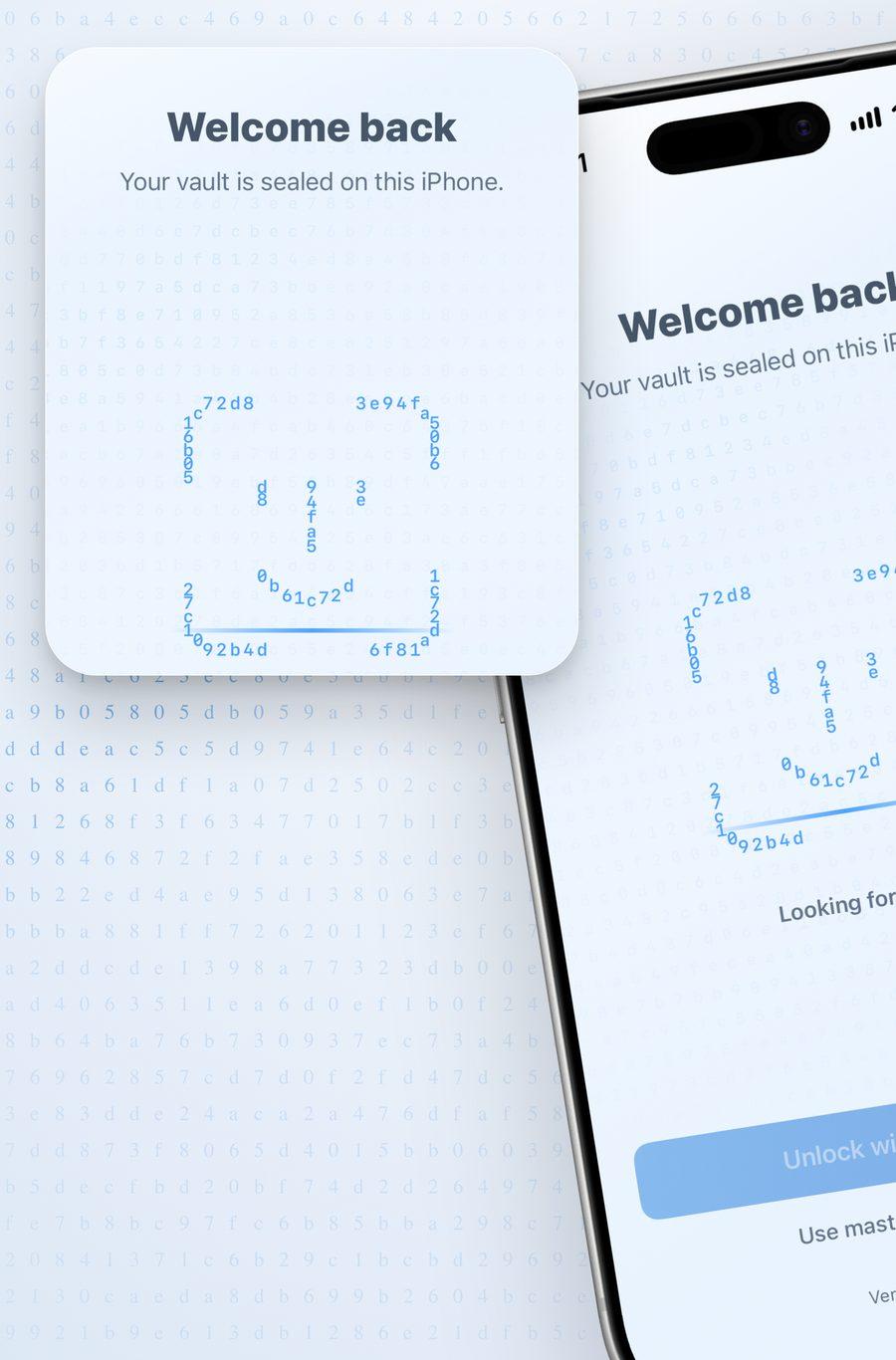
Face ID or Touch ID opens your vault in a moment. Step away and it locks again by itself.
- Your master password stays the only way in. Face ID just saves you typing it.
- Auto-lock after a time you choose in Settings.
- AutoFill for apps, websites and passkeys asks for the same glance.
2FA codes without
a second app.
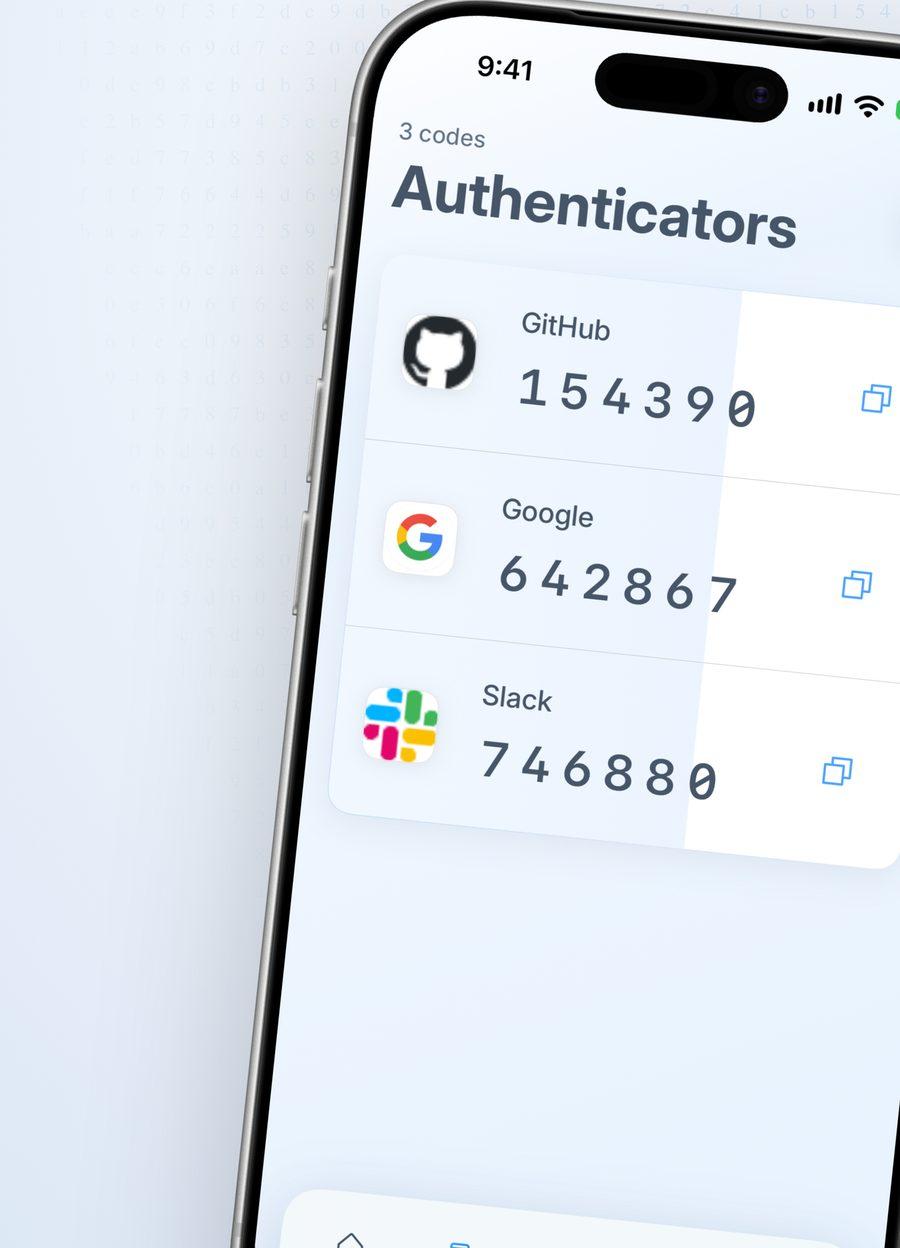
Scan the QR code once. From then on the six digits live beside the login they belong to, one tap from your clipboard.
- Codes refresh every 30 seconds, on the device, with no network.
- Add from a QR code, an image or by typing the setup key.
- One list of every code when you just need the number.
Know when a password
leaks.
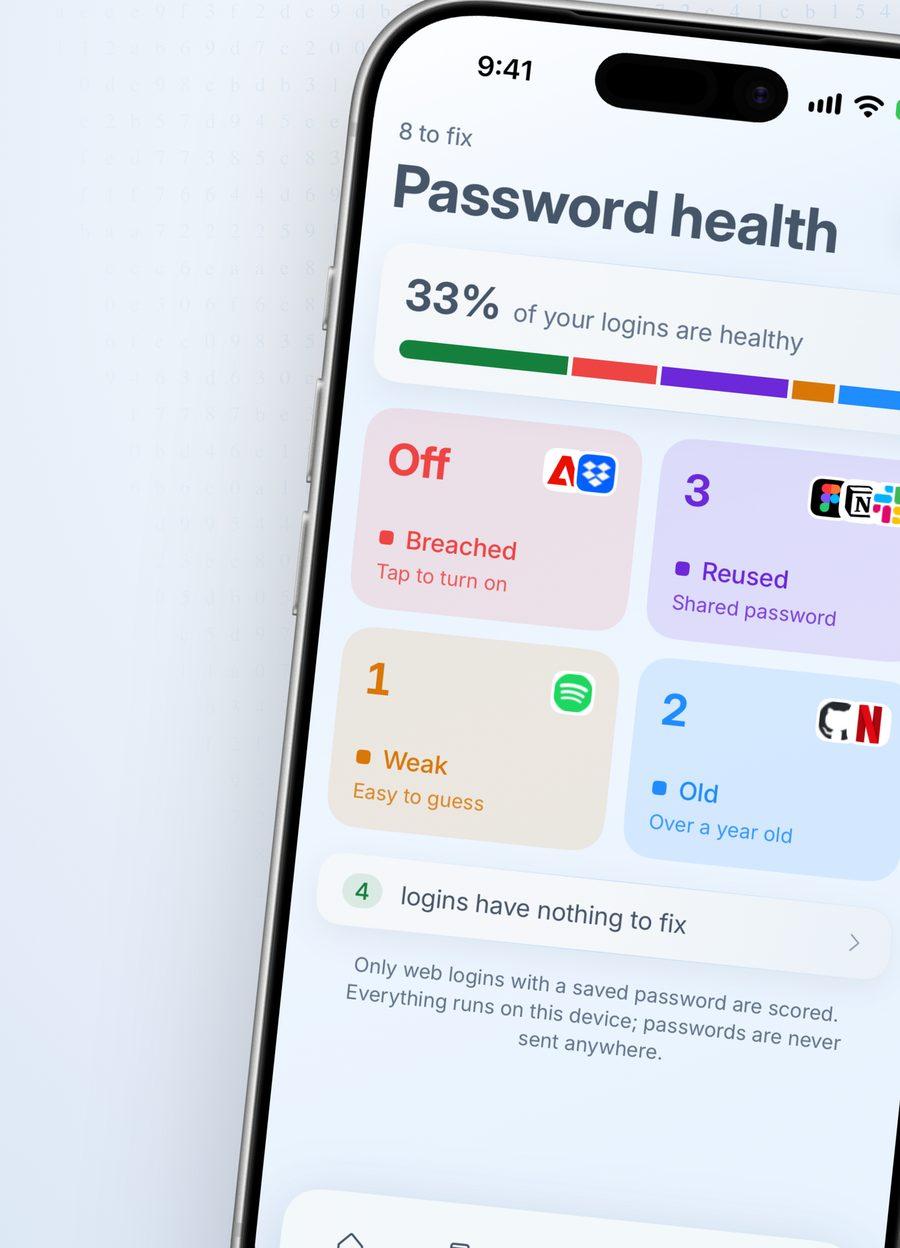
Password health finds the weak, the reused and the old. Breach checks tell you when a password has turned up in a known leak.
- Only a partial hash of a password is ever checked. The password never leaves your phone.
- Tap a login to see why it was flagged, then change it on the site.
- Password health itself is free. Breach checks come with Premium.
Never invent a
password again.
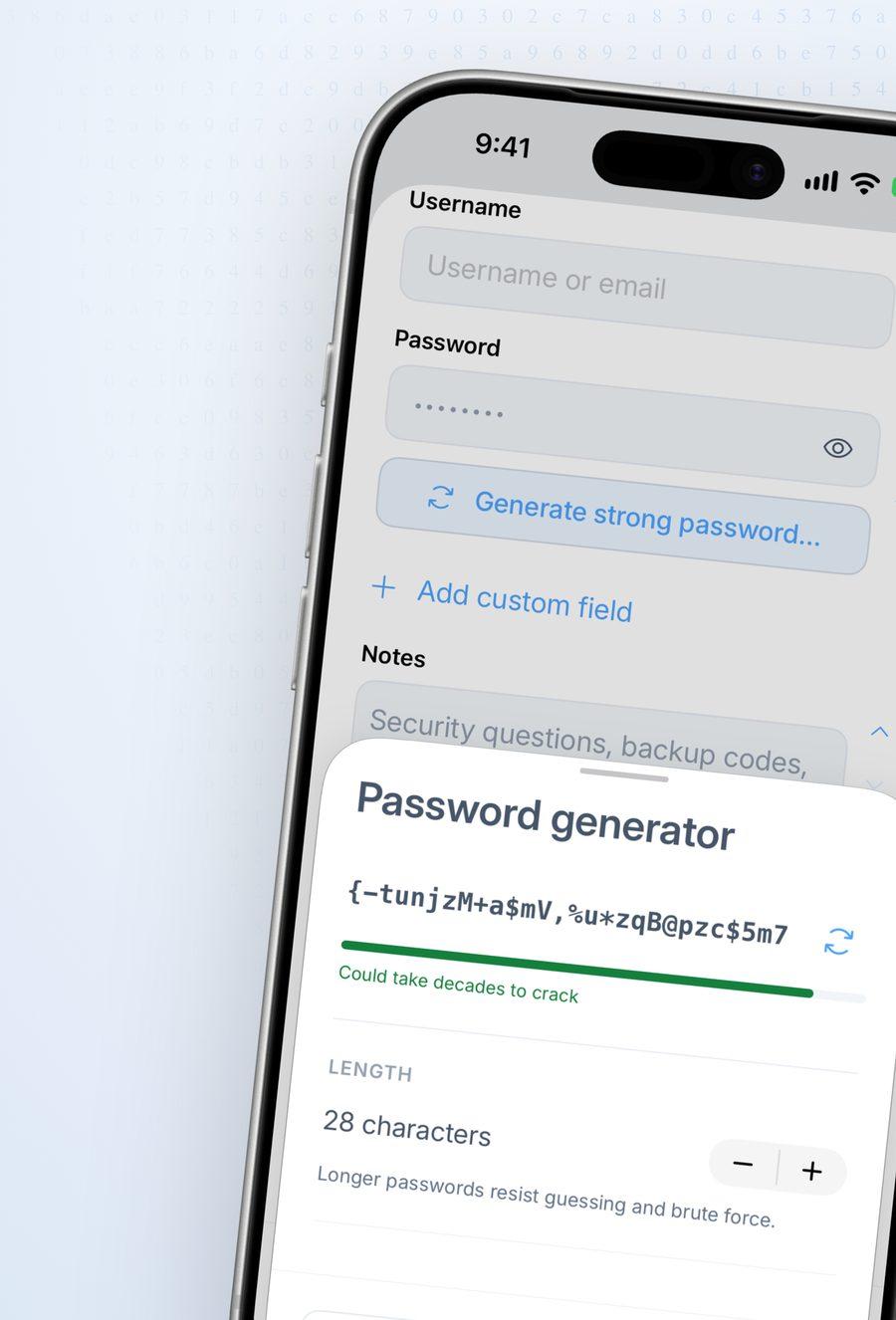
Strong and unique, made and saved in one step. Try the same idea right here. It runs in this page and nothing is sent anywhere.
Copy it.
Then it's gone.
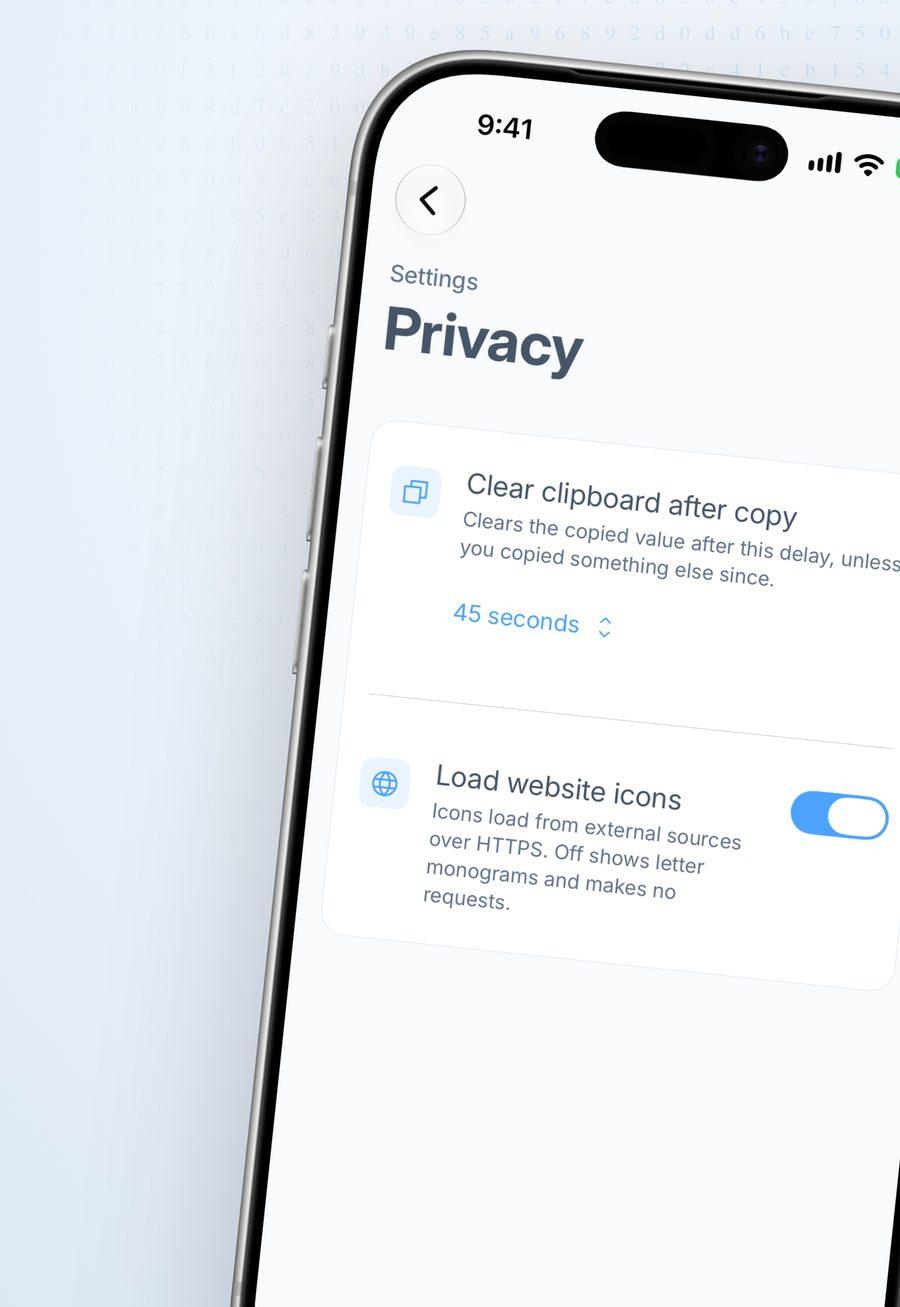
A copied password clears itself after 45 seconds, or the time you choose. It stays on this device, so it never shows up on your Mac, your iPad or in clipboard history.
Encrypted here.
Before it goes anywhere.
Type something below and watch it get sealed. This box really encrypts with AES-256-GCM, inside this page.
Your master password goes through Argon2id with 64 MiB of memory and 3 passes. Out comes a 256-bit key that is never stored or sent.
AES-256-GCM locks the item with a fresh random nonce. Any change to the sealed bytes is detected.
Only the sealed bytes travel, through your own private iCloud database. Without iCloud, nothing leaves at all.
The key in this demo is random and disappears when you leave the page. In the app it comes from your master password, and only you know that.
There is no copy on our servers to see. We never receive your master password or your key.
Nothing in the app sells, shares or profiles what you do. There is nothing to opt out of.
A vault can also carry a random Secret Key, printed in your Emergency Kit, so a guessed password alone opens nothing.
Locked out?
Not for long.
We can't reset your master password, and that is the point. So the app gives you three ways back that only you control.
A long random key that opens your vault on its own. Set a new master password with it.
One printable page with your recovery key and the steps to use it, for a drawer or a safe.
Split the recovery key between people you trust. Any three of five pieces restore it.
One vault.
iPhone, iPad and Mac.
A real Mac app with a sidebar and Command-K search, an iPad layout made for the big screen, and the iPhone you already know. One purchase covers all three.
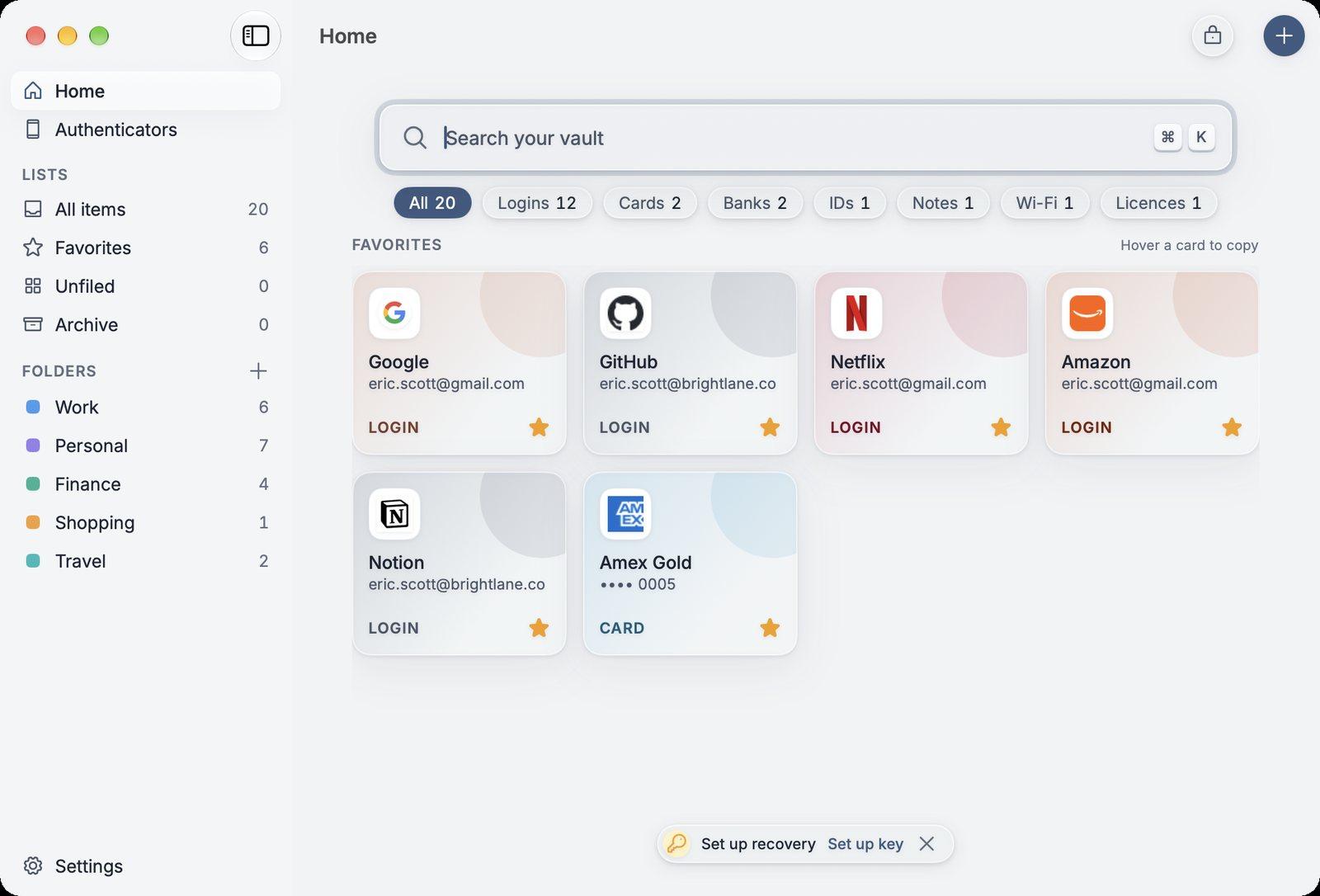
Press Command-K to search from anywhere. Hover a card to copy.
Two columns in landscape, with your favourites on top.
AutoFill in apps and Safari, with passkeys and 2FA codes.
Your vault on
any computer.
Sign in at vault.zenpasswords.com, enter your master password, and read your vault on a Windows PC or a borrowed laptop. It unlocks inside the browser tab and locks itself when you leave.
Start free.
Upgrade when it grows.
Every plan covers iPhone, iPad and Mac. Cancel a subscription any time in your App Store settings.
Try the whole app with the few logins that matter most.
- Up to 5 items
- Face ID and Touch ID
- Password health
Everything, billed monthly.
- Unlimited items
- Breach checks
- Archive and restore
Everything in Monthly. Works out to about $2.08 a month.
- Unlimited items
- Breach checks
- Archive and restore
Pay once. Premium with no renewals.
- Everything in Yearly
- One payment
- iPhone, iPad and Mac
Prices in US dollars. The App Store shows the price in your currency before you pay.
Asked and answered.
Do I need an account?
No. There is nothing to sign up for. Your vault lives on your devices, and sync goes through your own private iCloud when your devices use it.
Can you see my passwords?
No. Everything is encrypted on your device with a key made from your master password. We never receive that password or the key, and we hold no copy of your vault.
What if I forget my master password?
We can't reset it, because we never have it. Use your recovery key, your Emergency Kit, or the pieces you gave to people you trust, then set a new master password.
Is it a subscription?
It doesn't have to be. Use it free for up to 5 items, subscribe monthly or yearly, or buy Lifetime once.
Does it work offline?
Yes. The vault is stored on your device, so unlocking, searching, copying and 2FA codes all work without a connection.
Can I bring my passwords from another app?
Yes. Export a CSV or an encrypted backup from your current password manager and import it in Settings. The app walks you through the export step.
Which devices does it run on?
iPhone, iPad and Mac, with one purchase for all three. Logging in to your vault from a browser on other computers is on the way.

Seal your first
password today.
Free for your first five items, with no account to create.